Pay Later Program $0 down Apply Now    |    Pay Later Program $0 down Apply Now    |    Pay Later Program $0 down Apply Now    |    Pay Later Program $0 down Apply Now    |    Pay Later Program $0 down Apply Now    |    Pay Later Program $0 down Apply Now    |    Pay Later Program $0 down Apply Now    |    Pay Later Program $0 down Apply Now    |    Pay Later Program $0 down Apply Now    |    Pay Later Program $0 down Apply Now    |    Pay Later Program $0 down Apply Now    |    Pay Later Program $0 down Apply Now    |    Pay Later Program $0 down Apply Now    |    Pay Later Program $0 down Apply Now    |   Pay Later Program $0 down Apply Now    |    Pay Later Program $0 down Apply Now    |    Pay Later Program $0 down Apply Now    |    Pay Later Program $0 down Apply Now    |    Pay Later Program $0 down Apply Now    |    Pay Later Program $0 down Apply Now    |    Pay Later Program $0 down Apply Now    |   Pay Later Program $0 down Apply Now    |    Pay Later Program $0 down Apply Now    |    Pay Later Program $0 down Apply Now    |    Pay Later Program $0 down Apply Now    |    Pay Later Program $0 down Apply Now    |    Pay Later Program $0 down Apply Now    |    Pay Later Program $0 down Apply Now    |   Pay Later Program $0 down Apply Now    |    Pay Later Program $0 down Apply Now    |    Pay Later Program $0 down Apply Now    |    Pay Later Program $0 down Apply Now    |    Pay Later Program $0 down Apply Now    |    Pay Later Program $0 down Apply Now    |    Pay Later Program $0 down Apply Now    |   Pay Later Program $0 down Apply Now    |    Pay Later Program $0 down Apply Now    |    Pay Later Program $0 down Apply Now    |    Pay Later Program $0 down Apply Now    |    Pay Later Program $0 down Apply Now    |    Pay Later Program $0 down Apply Now    |    Pay Later Program $0 down Apply Now    |   Pay Later Program $0 down Apply Now    |    Pay Later Program $0 down Apply Now    |    Pay Later Program $0 down Apply Now    |    Pay Later Program $0 down Apply Now    |    Pay Later Program $0 down Apply Now    |    Pay Later Program $0 down Apply Now    |    Pay Later Program $0 down Apply Now    |   Pay Later Program $0 down Apply Now    |    Pay Later Program $0 down Apply Now    |    Pay Later Program $0 down Apply Now    |    Pay Later Program $0 down Apply Now    |    Pay Later Program $0 down Apply Now    |    Pay Later Program $0 down Apply Now    |    Pay Later Program $0 down Apply Now    |   Pay Later Program $0 down Apply Now    |    Pay Later Program $0 down Apply Now    |    Pay Later Program $0 down Apply Now    |    Pay Later Program $0 down Apply Now    |    Pay Later Program $0 down Apply Now    |    Pay Later Program $0 down Apply Now    |    Pay Later Program $0 down Apply Now    |   Pay Later Program $0 down Apply Now    |    Pay Later Program $0 down Apply Now    |    Pay Later Program $0 down Apply Now    |    Pay Later Program $0 down Apply Now    |    Pay Later Program $0 down Apply Now    |    Pay Later Program $0 down Apply Now    |    Pay Later Program $0 down Apply Now    |    Pay Later Program $0 down Apply Now    |    Pay Later Program $0 down Apply Now    |    Pay Later Program $0 down Apply Now    |    Pay Later Program $0 down Apply Now    |    Pay Later Program $0 down Apply Now    |    Pay Later Program $0 down Apply Now    |    Pay Later Program $0 down Apply Now    |    Pay Later Program $0 down Apply Now    |    Pay Later Program $0 down Apply Now    |    Pay Later Program $0 down Apply Now    |    Pay Later Program $0 down Apply Now    |    Pay Later Program $0 down Apply Now    |    Pay Later Program $0 down Apply Now    |   Pay Later Program $0 down Apply Now    |    Pay Later Program $0 down Apply Now    |    Pay Later Program $0 down Apply Now    |    Pay Later Program $0 down Apply Now    |    Pay Later Program $0 down Apply Now    |    Pay Later Program $0 down Apply Now    |    Pay Later Program $0 down Apply Now    |   Pay Later Program $0 down Apply Now    |    Pay Later Program $0 down Apply Now    |    Pay Later Program $0 down Apply Now    |    Pay Later Program $0 down Apply Now    |    Pay Later Program $0 down Apply Now    |    Pay Later Program $0 down Apply Now    |    Pay Later Program $0 down Apply Now    |   Pay Later Program $0 down Apply Now    |    Pay Later Program $0 down Apply Now    |    Pay Later Program $0 down Apply Now    |    Pay Later Program $0 down Apply Now    |    Pay Later Program $0 down Apply Now    |    Pay Later Program $0 down Apply Now    |    Pay Later Program $0 down Apply Now    |   Pay Later Program $0 down Apply Now    |    Pay Later Program $0 down Apply Now    |    Pay Later Program $0 down Apply Now    |    Pay Later Program $0 down Apply Now    |    Pay Later Program $0 down Apply Now    |    Pay Later Program $0 down Apply Now    |    Pay Later Program $0 down Apply Now    |   Pay Later Program $0 down Apply Now    |    Pay Later Program $0 down Apply Now    |    Pay Later Program $0 down Apply Now    |    Pay Later Program $0 down Apply Now    |    Pay Later Program $0 down Apply Now    |    Pay Later Program $0 down Apply Now    |    Pay Later Program $0 down Apply Now    |   Pay Later Program $0 down Apply Now    |    Pay Later Program $0 down Apply Now    |    Pay Later Program $0 down Apply Now    |    Pay Later Program $0 down Apply Now    |    Pay Later Program $0 down Apply Now    |    Pay Later Program $0 down Apply Now    |    Pay Later Program $0 down Apply Now    |   Pay Later Program $0 down Apply Now    |    Pay Later Program $0 down Apply Now    |    Pay Later Program $0 down Apply Now    |    Pay Later Program $0 down Apply Now    |    Pay Later Program $0 down Apply Now    |    Pay Later Program $0 down Apply Now    |    Pay Later Program $0 down Apply Now    |   Pay Later Program $0 down Apply Now    |    Pay Later Program $0 down Apply Now    |    Pay Later Program $0 down Apply Now    |    Pay Later Program $0 down Apply Now    |    Pay Later Program $0 down Apply Now    |    Pay Later Program $0 down Apply Now    |    Pay Later Program $0 down Apply Now
iPhone Screen Repair Lawndale

iPhone Screen Repair Houston: Common Causes and Fast Solutions

We’ve all experienced that heart-sinking moment. The slip from the hand, the fumble from the pocket, and the dreaded sound of your iPhone hitting the pavement. You hold your breath as you turn it over, only to see a web of cracks staring back at you. It’s a frustrating, all-too-common experience.

If you’re in Houston and staring at a shattered screen, take a deep breath. You’re not alone, and there is a fast, reliable solution.

This guide is here to help you understand what just happened to your phone, explore the difference between minor cracks and serious damage, and show you how to get a fast and professional iPhone screen repair without the stress. At Repair My Devices, we’re not just technicians; we’re problem-solvers dedicated to getting your digital life back on track.

The “Oh No!” Moment: Common Causes of iPhone Screen Damage

While the dramatic drop is the most infamous culprit, iPhone screens can be damaged in a surprising number of ways. Understanding the cause can sometimes help you prevent it from happening again. Here are the most common scenarios we see from our Houston-area customers.

  • Accidental Drops: This is the undisputed champion of screen damage. A drop onto a hard surface like concrete, asphalt, or tile is the quickest way to a shattered screen. The point of impact matters, too. A corner-first landing often sends radiating cracks across the entire display, while a face-down drop can cause widespread shattering.
  • Pressure and Bending: Your iPhone is tough, but it’s not invincible. Placing it in your back pocket and sitting down can create enough focused pressure to bend the frame and crack the screen. The same goes for cramming it into an overstuffed backpack or purse, where it can be squeezed between a heavy water bottle and a laptop.
  • Impact from Objects: It’s a chaotic world inside a purse or pocket. An unprotected iPhone screen is no match for a rogue set of keys, loose coins, or other hard, sharp objects. These impacts might not cause a full shatter, but they often result in deep scratches that can weaken the glass and make it more susceptible to cracking later.
  • Extreme Temperature Swings: While less common, moving your phone from a very cold environment (like an air-conditioned car) out into the intense Houston heat can cause thermal shock. The materials in the screen expand at different rates, which in rare cases can lead to stress cracks.
iPhone Screen Repair Houston

Understanding the Damage: Is it the Glass, LCD, or Digitizer?

Not all screen damage is the same. When you bring your phone in for an iPhone screen repair, the technician is assessing which layers of the display assembly are compromised. Your iPhone’s screen isn’t just a single piece of glass; it’s a complex, fused unit.

Here’s a simple breakdown to help you diagnose the issue:

  • Just the Glass: This is when only the top layer of glass is cracked.
    • Symptoms: You see spiderweb cracks or chips on the surface, but the picture underneath looks perfectly normal. The colors are fine, there are no black spots, and your touch commands work flawlessly across the entire screen. This is the most straightforward type of damage.
  • Damaged Digitizer: The digitizer is the transparent layer responsible for sensing your touch. It sits just beneath the glass.
    • Symptoms: You may experience “ghost touch,” where the phone seems to be opening apps or typing on its own. Other signs include parts of the screen not responding to your touch at all, or erratic and delayed responses. Even if the glass looks fine, a faulty digitizer makes the phone unusable.
  • Damaged LCD/OLED: This is the deepest layer, which actually produces the image you see. In newer iPhones, this is an OLED panel, while older models use an LCD.
    • Symptoms: The most obvious signs are black “ink” blotches, bright green or colored vertical lines running down the screen, a display that is completely black (but you can still hear notifications), or distorted, washed-out colors. Damage to this layer always requires a full screen replacement.

For a lasting, high-quality fix, most professional repairs involve replacing the entire screen assembly (Glass, Digitizer, and LCD/OLED). This ensures a perfect seal, optimal performance, and factory-fresh looks.

The DIY Trap: Why Professional iPhone Screen Repair is the Smart Choice

When your screen breaks, a quick search online reveals dozens of “Do-It-Yourself” repair kits for under $50. It seems tempting a cheap and easy fix you can do at home. However, this path is filled with pitfalls that can turn a small problem into a very expensive one.

  • Risk of Further Damage: Modern iPhones are intricate devices packed with tiny screws, fragile ribbon cables, and sensitive components. One wrong move with a pry tool can slice a Face ID cable (disabling it permanently), damage the front camera, or short-circuit the logic board. This turns a screen repair into a need for a new phone.
  • Low-Quality Parts: The screens included in cheap DIY kits are almost always low-grade aftermarket parts. They suffer from poor color accuracy, reduced brightness, and unresponsive touch. You’ll notice the difference immediately, and the screen will be far more likely to break again.
  • No Warranty: When you perform a DIY repair, you are the warranty. If the new screen is faulty, if you break something during the process, or if it stops working a week later, you have no recourse. You’re simply out the money and the time.
  • Time and Frustration: What looks like a 20-minute job on YouTube can quickly become a multi-hour nightmare of tracking lost screws and trying to re-seat microscopic connectors.

Why risk it? Choosing a professional repair service like Repair My Devices ensures the job is done right the first time, with the right tools and parts, and is backed by a guarantee.

Your Fast Solution in Houston: The Repair My Devices Process

We know you need your phone back, and we’ve designed our entire process around speed, transparency, and convenience for our customers across Houston.

Our simple 3-step process makes getting an iPhone screen repair effortless:

Step 1: Get Your Free, Instant Quote
No surprises, no hidden fees. Visit our iPhone Repair service page, select your iPhone model and the screen repair service. You’ll see a clear, upfront price immediately.

Step 2: Mail-In Your Device
Once you’ve confirmed your repair, you’ll receive instructions for our secure mail-in service. For our local customers, this means you can skip the Houston traffic. Simply package your device securely and send it to our central Houston repair center. It’s the most convenient way to get a professional repair without leaving your home or office.

Step 3: Expert Repair and Fast Return
The moment your iPhone arrives, our certified technicians get to work. Most screen replacements are completed the very same day we receive the device. Before we send it back, we conduct a rigorous multi-point inspection to ensure the new screen’s touch sensitivity, color, and brightness are perfect. We then ship it back to you, fully repaired and ready to go.

Why Choose Repair My Devices for Your iPhone Screen Repair in Houston?

When you’re looking for a repair, you’re looking for trust. You want to know your expensive device is in good hands. Here’s why we are the top choice for residents in Houston and the surrounding areas:

  • Expert Technicians: Our team isn’t just tinkering. They are certified professionals with years of experience working on every iPhone model, from the iPhone 8 to the latest Pro Max. You can learn more about our commitment to quality on our About Us page.
  • Premium Quality Parts: We only use the highest-quality replacement screens available, ensuring your repaired iPhone looks and functions as good as new.
  • Transparent and Competitive Pricing: The price you see on your quote is the price you pay. We believe in honest pricing for top-tier work.
  • Fast and Efficient Service: We’ve built our reputation on fast turnarounds because we respect that you can’t be without your phone for long.
  • Comprehensive Service Warranty: We stand proudly behind our work. Every iPhone screen repair comes with a warranty that covers our parts and labor, giving you complete peace of mind.
  • A Houston-Based Business: Though our service is conveniently online, our heart and operations are right here in Houston, dedicated to serving our local community.

iPhone Screen Repair FAQ

Q1: How much does an iPhone screen repair cost in Houston?
The cost depends entirely on your iPhone model. Newer models with advanced OLED displays cost more to repair than older models with LCD screens. For an exact price, please use the free quote tool on our iPhone Repair page.

Q2: How long will my repair take?
Our mail-in repairs are incredibly fast. We complete most screen replacements on the same day we receive the device and prepare it for return shipment immediately after.

Q3: Will I lose my data during the screen repair?
A screen replacement does not typically affect your data. Your photos, contacts, and apps should be perfectly safe. However, we always recommend backing up your device to iCloud or a computer before sending it for any repair, just as a best practice.

Q4: Do you repair devices other than iPhones?
Absolutely! While iPhone screen repair is one of our most popular services, our expert technicians are also skilled in a wide range of repairs for other devices. This includes providing expert Samsung repairs and handling complex iPad repair services.

Ready for a Flawless Screen?

A cracked iPhone screen is more than just an aesthetic issue it’s a disruption to your daily life. Don’t put up with sharp glass, unresponsive touch, or a screen you can barely see. And don’t risk the headache of a failed DIY repair.

For residents of Houston, a fast, professional, and guaranteed solution is just a few clicks away. Let the experts at Repair My Devices restore your iPhone to its original, pristine condition.

Ready to get started? Get Your Free Quote Now or Contact Us if you have any questions. Your like-new iPhone is waiting.

Wireless Charging not Working

Wireless Charging Not Working? The Hidden Cost of Broken Back Glass

You place your phone on the wireless charger like you do every night. Nothing happens. You adjust the position. Still nothing. That tiny crack on your phone’s back glass? It’s not just cosmetic damage anymore.

Here’s what most Houston phone users don’t realize: that “minor” back glass crack is silently draining your wallet, compromising your phone’s protection, and killing features you paid premium prices to enjoy.

Before you slap a case over it and call it a day, you need to understand exactly what’s happening beneath that shattered surface.

The Structural Integrity Risks of a Shattered Back

Modern smartphones aren’t built like the plastic phones of the 2000s. That sleek glass back panel serves multiple critical functions beyond looking good.

It’s Part of Your Phone’s Skeleton

Your phone’s back glass works with the metal frame to create a rigid structure. When that glass shatters, even partially, you lose significant structural support. The result? Your phone becomes more vulnerable to bending, flexing, and further damage from everyday use.

Think about it. Every time you sit down with your phone in your back pocket, slip it into a tight bag, or accidentally press against it, that compromised structure takes hits it can’t properly absorb anymore.

Thermal Management Gets Disrupted

The glass back helps dissipate heat from your processor during intensive tasks. Cracks interrupt this thermal distribution, causing your phone to run hotter. In Houston’s brutal summer heat, this becomes a serious problem. Overheating leads to battery degradation, performance throttling, and in extreme cases, permanent component damage.

The Domino Effect

One crack rarely stays one crack. Pressure points shift. Vibrations travel differently through compromised glass. What started as a single spider web pattern can expand across the entire panel within weeks, sometimes overnight after temperature fluctuations common during Houston’s unpredictable weather swings.

How Cracks Let Sweat and Rain Kill Your Motherboard

That glass back isn’t just structural. It’s your phone’s primary defense against Houston’s humid environment.

Moisture Finds Every Opening

Glass cracks create microscopic pathways directly into your phone’s internals. Houston’s average humidity hovers around 75%. Every time you step outside, your cracked phone absorbs atmospheric moisture like a sponge.

The damage happens gradually. Moisture reaches copper traces on circuit boards. Corrosion begins. Connection points deteriorate. One day your camera stops working. Then your speaker crackles. Eventually, your motherboard gives out entirely.

Sweat Is Worse Than Rain

Rain is water. Sweat is a corrosive cocktail of salts and minerals. Houston runners, outdoor workers, and anyone who exercises with their phone nearby should be especially concerned.

Sweat seeping through back glass cracks accelerates corrosion dramatically. We’ve seen phones come into our Houston repair shop with completely green motherboards. The owners had no idea the damage was happening because their screens still worked fine until they didn’t.

Water Resistance Rating? Gone.

That IP68 rating you paid extra for? It assumed your phone was intact. A cracked back glass immediately voids your water resistance protection. One unexpected rainstorm, one dropped phone near the pool, one spilled drink and your phone becomes an expensive paperweight.

Why Your MagSafe Might Stop Working

For iPhone users, back glass damage creates an additional problem most people never anticipate: MagSafe failure.

Understanding the Magnet Array

MagSafe isn’t just clever marketing. It’s a precise ring of magnets embedded beneath your back glass, aligned perfectly to connect with chargers and accessories. When back glass shatters, several things can go wrong.

Glass fragments can shift and interfere with magnetic alignment. The magnets themselves can become displaced or damaged. Even tiny movements in the internal positioning can break the connection your MagSafe charger needs.

The Charging Coil Problem

Directly beneath that glass sits your wireless charging coil. It’s a delicate copper component that relies on precise positioning to work efficiently. Cracked glass often means compromised charging coil protection.

We regularly see phones where wireless charging works intermittently after back glass damage. Sometimes it charges. Sometimes it doesn’t. Sometimes it heats up dangerously because the coil isn’t aligned properly with the charger.

Accessories Stop Connecting

MagSafe wallets that fall off constantly. Car mounts that won’t hold your phone securely. Battery packs that disconnect during use. These frustrations all trace back to that cracked back glass disrupting the magnetic connection points.

How We Use Precision Lasers to Remove Glass Without Prying

Traditional back glass repair is brutal. Technicians heat the phone excessively, then pry at the glass with tools that can easily slip and damage internal components. It’s risky, time-consuming, and often leaves phones worse than before.

Laser Technology Changes Everything

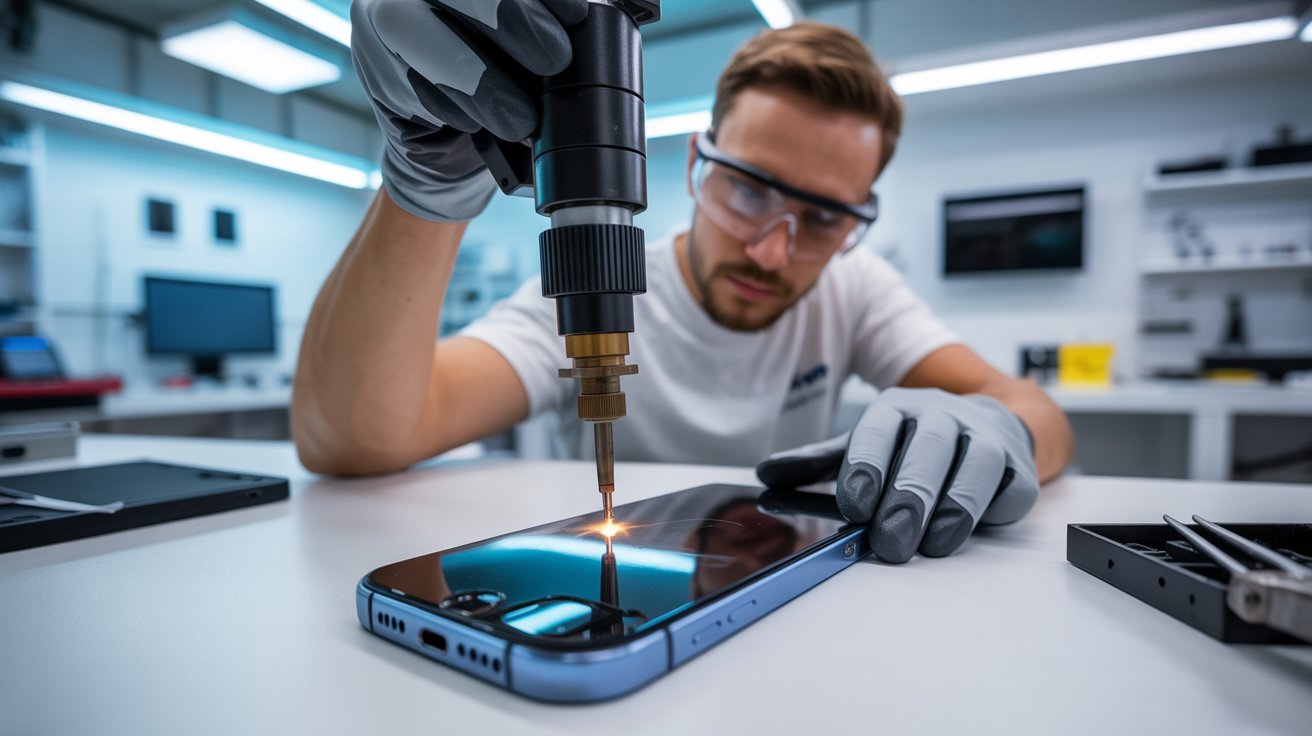
Our Houston repair facility uses precision laser machines specifically calibrated for back glass removal. Here’s how the process works:

The laser targets the adhesive layer between the glass and phone frame. It breaks down the bonding agent without generating excessive heat that could damage batteries, coils, or other components. The glass separates cleanly, without prying, scraping, or force.

Why This Matters for Your Phone

Heat damage is cumulative. Traditional repair methods expose your battery to temperatures that degrade its capacity permanently. Laser removal keeps heat localized to the adhesive layer only, preserving your battery health.

There’s also zero risk of pry tool slippage. No gouged frames. No scratched internal components. No technician error causing additional damage while trying to fix existing problems.

The Result

Your phone leaves our shop looking factory-new. The new back glass sits flush, sealed properly, and ready to protect your phone exactly as the manufacturer intended. Wireless charging works perfectly. MagSafe accessories connect reliably. Water resistance gets restored.

How Much Money You Lose Trading In a Cracked Phone

Planning to upgrade eventually? That cracked back glass is costing you more than you think.

Trade-In Value Destruction

Apple, Samsung, and carrier trade-in programs all categorize back glass damage as significant defects. Here’s what that means in real dollars:

  • An iPhone 14 Pro in good condition trades for approximately $400-500
  • The same phone with cracked back glass? Maybe $150-200
  • That’s $200-300 vanishing from your pocket

Third-Party Resale Gets Worse

Selling privately through Facebook Marketplace, Swappa, or Craigslist? Buyers in Houston are savvy. They know back glass damage means hidden moisture exposure risks. They’ll lowball aggressively or walk away entirely.

Even if you find a buyer, you’ll need to price significantly below market value to move a damaged device. The discount typically exceeds what professional repair would have cost.

The Math Makes Sense

Professional back glass repair typically runs $80-150 depending on your phone model. If that repair preserves $200-300 in trade-in value, you’re looking at a guaranteed return on investment.

Delaying repair only increases risk. Every day with a cracked back means more potential moisture damage, more structural degradation, and lower eventual resale value.

Case vs. Repair: Why Putting a Case Over the Cracks Isn’t a Permanent Fix

We understand the temptation. Cases are cheap. Repairs take time. Just covering the problem seems logical.

It’s not.

Cases Don’t Seal Anything

Phone cases protect against future impacts. They don’t seal existing damage. Moisture still reaches those cracks. Humidity still penetrates. Sweat still corrodes.

In fact, cases can make moisture problems worse. They trap humidity against your phone’s damaged surface, creating a constant exposure environment. The damage that might take months in open air happens in weeks under a case.

Glass Fragments Keep Moving

Those shattered pieces aren’t stable. Your phone vibrates constantly from notifications, calls, and haptic feedback. Each vibration shifts glass fragments slightly. Cases don’t prevent this movement they just hide it.

Eventually, fragments work their way loose. They can damage internal components, interfere with wireless charging coils, or create new crack patterns that spread across previously undamaged areas.

The Illusion of Protection

A case gives you false confidence. You stop thinking about the damage. You forget it exists. Meanwhile, corrosion spreads, structural integrity weakens, and repair costs increase.

What could have been a simple back glass replacement becomes a motherboard repair. What started as a $100 fix becomes a $400 problem or a total loss.

The Smart Approach

Get the repair done first, then protect your phone with a quality case. You’ll have genuine protection backed by actual structural integrity, not cosmetic concealment of an active problem.

Take Action Before Hidden Costs Multiply

That cracked back glass is actively damaging your phone right now. Every Houston rainstorm, every humid afternoon, every workout session increases the risk.

Professional laser repair is faster, safer, and more affordable than most people expect. You’ll restore wireless charging, protect your phone from moisture, preserve your trade-in value, and eliminate the hidden costs of pretending the damage doesn’t matter.

Don’t let a cracked back glass become a dead phone. The fix is simpler than you think when you choose the right repair method and act before the damage spreads.

0
    0
    Your Cart
    Your cart is empty
    Product has been added to your cart