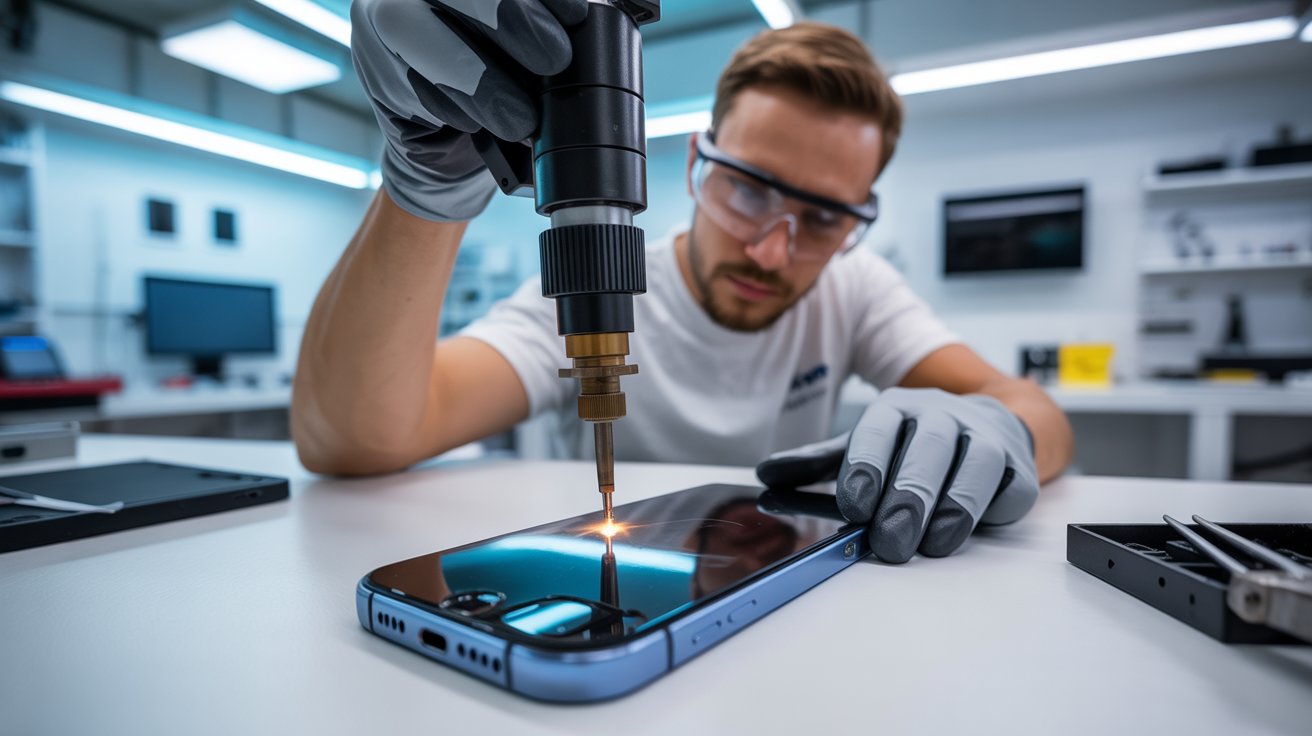
Smartphones have become integral to our lives, and when they break, it can feel like everything is on pause. But not all smartphones are created equal, especially when it comes to repairs. If you’ve been wondering whether Android or iPhone repairs are easier on your wallet, time, and patience, you’re in the right place.
Below, we’ll explore five essential differences between Android and iPhone repairs so you can make an informed decision about your next smartphone purchase or repair strategy.
What You’ll Learn
By the end of this post, you’ll understand the differences in repair costs, availability of parts, repairability, warranties, and software reinstallation processes for Android and iPhones. Whether you’re a tech enthusiast, repair professional, or smartphone user, these insights will help you make smarter choices.
1. Repair Costs
iPhone Repairs: Standardized but Pricey
Apple iPhones typically have higher repair costs compared to many Android devices. A cracked iPhone screen, for example, can cost anywhere between $200 to $400 if you’re out of warranty. The reason? Apple controls the repair ecosystem tightly. Genuine parts and trained technicians are primarily available through Apple Stores or authorized service providers, which drives up costs.
Android Repairs: Variable Costs
When it comes to Android devices, costs vary significantly depending on the brand and model. Premium Android devices, like Samsung Galaxy or Google Pixel, may cost just as much to repair as an iPhone. However, affordable Android models often have cheaper repair options because third-party parts are widely available.
Takeaway
If affordability is a priority, Android repairs tend to offer more flexibility. However, high-end Androids and iPhones may not differ much in cost.
2. Availability of Parts and Repair Centers
iPhone Repairs: Controlled Supply Chain
Apple’s tight repair ecosystem means only Apple-approved parts are used for repairs. While this ensures high-quality service, it limits third-party repair options. If you don’t live near an Apple Store or authorized center, repairs can be inconvenient.
Android Repairs: Wider Access
With Android, the story is entirely different. There are numerous manufacturers (Samsung, OnePlus, Google, etc.), each with its repair ecosystem. Plus, third-party shops often stock compatible parts for Android devices. This makes repair services more accessible, especially in areas without brand-specific repair centers.
Takeaway
Need repairs in a pinch? Android devices generally have wider options for quicker service.
3. Repairability
iPhones: Complex, Proprietary Design
iPhones are notoriously challenging to repair. Apple uses proprietary screws, adhesives, and hardware designs that make accessing the inner components difficult. For instance, replacing the battery or screen typically requires specialized tools and technical know-how.
Android Devices: Diverse but Easier (in Some Cases)
Repairability for Android devices varies. Many brands, like Samsung, also favor adhesive-heavy designs that complicate repairs. However, certain Android brands, like Fairphone, have prioritized easy repairability, offering modular designs and repair kits.
Takeaway
If DIY repairs are your thing, research-specific Android brands that promote modularity. iPhones? You’re likely stuck with professional repair services.
4. Warranties and Repair Policies
iPhone Repairs: Stronger Warranties but Restrictions
AppleCare+ offers extended warranties that cover accidental damage for a flat fee, which can save significant money over time. However, any unauthorized repairs void your warranty, and Apple’s repair policies leave little room for third-party options.
Android Repairs: Brand-Dependent Policies
Warranties for Android devices vary depending on the manufacturer. Some brands, like Samsung, offer extended care plans similar to AppleCare+. Others may have basic warranties that exclude accidental damage. What’s better? Many Android manufacturers don’t void warranties if you repair through third-party providers.
Takeaway
iPhones guarantee peace of mind with AppleCare+, but if you value flexibility, Android might be the better choice.
5. Software Integration Post-Repair
iPhones: Seamless but Restrictive
After hardware repairs on an iPhone, software integration is often seamless. For instance, replacing a screen or battery won’t require you to fiddle much after the repair. However, Apple’s device pairing restrictions mean third-party parts may not function optimally.
Androids: More Flexibility but Less Consistency
Android, being open-source, offers more flexibility post-repair. You can seamlessly integrate third-party parts and avoid potential software restrictions. However, this comes with trade-offs; non-genuine parts may lead to inconsistencies in performance.
Takeaway
Apple offers hassle-free software updates, while Android gives you more options post-repair—with a slight risk of reduced performance.
What to Consider When Choosing Between Android and iPhone Repairs
Budget
If repair costs are a concern, Android generally offers more options to suit different budgets.
Availability
Living in a remote area? Android’s wider network of repair shops might save you a headache.
Repair Needs
For straightforward, manufacturer-backed repairs, Apple excels. If you value repairability and customization, certain Android brands like Fairphone are worth exploring.
Software Functionality
Stick to authorized repairs for iPhones to ensure proper software functionality. If using third-party parts, Android offers more freedom.
Thinking Ahead
Smartphone repairs can be stressful, but understanding these differences can help you feel more prepared. Whether you’re deciding on your next device or your next repair, knowing the pros and cons of Android vs iPhone repairs is crucial.
Ultimately, the best device for you will depend on your priorities, whether that’s cost, convenience, or repair flexibility.
Still feeling unsure? Share your thoughts in the comments, and we’ll be happy to help guide you!
New iPhone vs. Repair: Why Lawndale Chooses Fixing 2026
That moment when your iPhone starts acting up. The battery drains before lunch. The screen has that annoying crack spreading like a spider web. Apps take forever to load. Your first instinct screams “time for an upgrade.” But hold on a second.
Here in Lawndale, something interesting is happening. More residents are walking past the Apple Store and heading straight to repair shops instead. After years of covering tech trends and consumer behavior, I’ve witnessed a genuine shift in how people think about their devices. The upgrade cycle that once seemed mandatory now feels optional.
Let me show you why fixing your current iPhone might be the smartest decision you make in 2026.
Breaking Down the True Cost of Modern Flagship Upgrades
Let’s talk real numbers. The iPhone 16 Pro Max launched at $1,199. The base iPhone 16 starts at $799. These aren’t just prices – they’re mortgage payments for some families.
But the sticker price only tells part of the story.
The Complete Cost Picture
Expense Category
New iPhone 16 Pro
Keeping Current Phone
Device Cost
$1,199
$0
New Case & Screen Protector
$80-150
Already owned
Data Transfer Service (optional)
$30-50
Not needed
AppleCare+ (2 years)
$199
Current coverage continues
Selling Old Device (credit)
-$200 to -$400
N/A
Net Cost
$1,000-1,200
$0
Now compare that to common repairs:
Repair Type
Average Cost in Lawndale
Battery Replacement
$79-99
Screen Repair
$129-229
Charging Port Fix
$69-89
Speaker/Microphone
$59-79
Back Glass Replacement
$99-149
Camera Repair
$89-149
The math speaks for itself. Even combining multiple repairs rarely approaches half the cost of a new device. Lawndale families are doing these calculations and making practical choices.
The Financing Trap
Carriers love promoting those “just $33 per month” deals. Sounds manageable, right? But that’s $792 over 24 months – often more than the phone’s actual value after trade-in credits expire. Miss a payment or want to switch carriers? You’re locked in or paying penalties.
I’ve talked to dozens of Lawndale residents who felt trapped in these financing arrangements. One family on Hawthorne Boulevard told me they were paying for three phones simultaneously because upgrade offers kept seeming too good to pass up.
Repair breaks this cycle. One payment, phone fixed, done.
The “Planned Obsolescence” Myth: Is Your Phone Actually Slow, or Just Full of Storage?
Here’s something repair technicians in Lawndale see constantly – phones that owners assumed were dying but actually just needed basic maintenance.
Common Culprits Behind “Slow” iPhones
Storage Overload When your iPhone storage exceeds 90% capacity, performance tanks dramatically. The operating system needs breathing room to function properly. Those 47,000 photos from 2019? They’re not just memories – they’re performance killers.
Background App Refresh Dozens of apps refreshing data constantly drain processing power. Most people never adjust these settings.
Outdated iOS Installation Ironically, both updating too quickly and not updating cause problems. Fresh iOS releases often run sluggish initially until Apple optimizes them. Meanwhile, severely outdated systems miss crucial performance patches.
Battery Health Degradation When battery health drops below 80%, iOS automatically throttles processor speed to prevent unexpected shutdowns. Your phone isn’t slow – it’s being deliberately slowed to protect itself.
Accumulated Cache and Junk Data Years of app installations, deletions, and usage leave digital debris that accumulates over time.
Quick Fixes Before Considering Repair or Replacement
Issue
DIY Solution
Time Required
Low Storage
Delete old photos, offload apps
30-60 minutes
Background Drain
Disable background refresh for non-essential apps
10 minutes
General Sluggishness
Full restart (not just sleep)
2 minutes
Poor Battery Life
Check battery health in Settings
1 minute
App Crashes
Delete and reinstall problematic apps
5 minutes each
A local repair shop owner on Inglewood Avenue mentioned that roughly 30% of customers coming in for “repairs” actually just needed guidance on maintenance. Good shops will tell you this honestly instead of charging for unnecessary work.
Calculating the Value of a $100 Repair on a $800 Device
This is where the decision becomes crystal clear.
Think about your car. If your three-year-old Honda needed a $400 brake job, would you immediately buy a new car? Of course not. The repair cost represents a small fraction of the vehicle’s value and extends its usable life significantly.
Your iPhone deserves the same logic.
The Repair Value Formula
Device Original Cost: $800 (iPhone 14 example) Current Age: 2 years
Remaining Useful Life Without Repair: 6-12 months Repair Cost: $99 (battery replacement)
Extended Useful Life After Repair: 2-3 additional years
Cost Per Month Comparison:
Scenario
Total Cost
Usable Months
Cost Per Month
New iPhone 16
$999
48 months
$20.81
Repair Current Phone
$99
36 months additional
$2.75
That’s nearly 8x more economical to repair.
Real Lawndale Example
Maria, a teacher living near Lawndale Elementary, shared her experience with me. Her iPhone 13 developed a cracked screen and weak battery after 2.5 years of use. She initially budgeted for a new iPhone 15.
Instead, she spent $189 on screen replacement and battery swap at a local repair shop. Her phone now performs like new. She used the $800 savings toward her daughter’s college fund.
“It felt like getting a new phone without the new phone price,” she told me.
That sentiment echoes across Lawndale households making similar choices.
Why a Simple Battery Swap Mimics the “New Phone Feel”
Battery degradation creates a cascade of problems that make phones feel ancient. Understanding this reveals why battery replacement delivers such dramatic results.
What Happens When Batteries Age
Chemical Degradation Lithium-ion batteries physically deteriorate with each charge cycle. After 500 cycles (roughly 18-24 months for average users), capacity diminishes noticeably.
Performance Throttling Apple’s performance management feature kicks in when batteries can’t deliver peak power consistently. This isn’t malicious – it prevents sudden shutdowns. But it makes everything slower.
Heat Generation Degraded batteries generate more heat during use and charging. This heat further damages internal components and makes phones uncomfortable to hold.
Unreliable Percentage Readings Old batteries provide inconsistent power, causing iOS to misread remaining charge. Your phone might die at 23% or survive hours at 1%.
The Transformation After Battery Replacement
Aspect
Before Replacement
After Replacement
Screen-on Time
4-5 hours
8-10 hours
App Launch Speed
Noticeably delayed
Instant response
Camera Performance
Laggy, sometimes crashes
Smooth operation
Charging Time
2.5-3 hours
1.5-2 hours
Unexpected Shutdowns
Frequent
Eliminated
Heat During Use
Warm/hot
Normal temperature
Customers frequently describe the post-battery-swap experience as “like someone gave me a new phone.” The performance difference is that stark.
A $79-99 investment creates a device that functions identically to one costing ten times more. Lawndale residents are catching on to this reality.
The Hidden Convenience of Keeping Your Current Device
Beyond money, there’s something nobody talks about enough – the sheer hassle of switching phones.
The New Phone Transition Nightmare
Data Transfer Headaches
Despite Apple’s promises of seamless transfers, things go wrong. Apps need re-authentication. Some data doesn’t transfer properly. Fitness history, certain app configurations, and saved passwords sometimes vanish into the digital void.
Learning Curve New iOS features and interface changes require adjustment. Button placements shift. Settings menus reorganize. Features you relied on get buried or removed.
Accessory Incompatibility That expensive car mount? Might not fit the new size. Your favorite case? Obsolete. Desk charging stand? Wrong dimensions.
Account Security Disruptions Banking apps, two-factor authentication, and security keys all need reconfiguration. Some require waiting periods or verification calls.
The Inevitable Missing Feature Apple removes something you actually used with almost every generation. Headphone jack, physical SIM tray, distinct sizing – change is constant.
What You Keep by Repairing
Preserved Element
Value
All app configurations
Hours of setup time
Message history
Priceless memories
Photo organization
Years of albums
Health data continuity
Long-term tracking
Muscle memory
Zero relearning
Existing accessories
$100-300 worth
Trusted device recognition
Security convenience
One Lawndale business owner on Rosecrans Avenue told me he dreads phone transitions more than tax season. His repair approach? “Fix what breaks, replace nothing that works.” His iPhone 12 remains his daily driver in 2026.
Why Lawndale Residents Are Going Green by Repairing
Environmental consciousness is growing across Los Angeles County, and Lawndale is no exception. Phone repair represents one of the easiest ways to reduce personal environmental impact.
The Environmental Cost of New Phones
Manufacturing a single smartphone requires:
Resource
Amount
Water
3,190 gallons
Cobalt
8 grams
Lithium
0.5 grams
Copper
15 grams
Gold
0.034 grams
Silver
0.34 grams
Rare Earth Elements
0.5 grams
CO2 Emissions
70-100 kg
These materials are mined from the earth, processed through energy-intensive manufacturing, shipped across oceans, and distributed through complex logistics networks.
The E-Waste Crisis
Americans discard approximately 151 million phones annually. Despite recycling programs, only 15-20% of e-waste gets properly processed. The rest ends up in landfills where toxic components leach into soil and groundwater.
Lawndale sits just miles from the Pacific Ocean. Residents increasingly understand that local choices have regional environmental consequences.
How Repair Helps
Each repaired phone:
Delays one new phone’s manufacturing footprint
Prevents one device from entering the waste stream
Reduces demand for conflict minerals
Lowers carbon emissions from shipping and production
Local Impact Calculation:
If just 10,000 Lawndale residents chose repair over replacement this year:
700,000-1,000,000 kg of CO2 emissions prevented
31.9 million gallons of water conserved
10,000 devices kept out of landfills
The Lawndale Environmental Coalition has actually started promoting device repair as part of their sustainability initiatives. Several local repair shops now partner with community recycling programs for components that can’t be salvaged.
Repair Shops Going Green
Responsible repair businesses in Lawndale are adopting eco-friendly practices:
Recycling damaged components properly
Using refurbished parts where quality permits
Offering trade-in programs for unrepairable devices
Minimizing packaging waste
Providing e-waste disposal guidance
When you repair locally, you’re supporting businesses that keep dollars and environmental responsibility within the community.
When SHOULD You Upgrade? An Honest Checklist for When a Phone Is Truly Dead
Look, I’m not saying repairs solve everything. Sometimes phones genuinely need replacing. Here’s an honest assessment framework.
Signs Repair Makes Sense
✅ Battery drains quickly but phone otherwise works Simple battery replacement solves this completely.
✅ Cracked screen with functional touch capability Screen replacements are straightforward and cost-effective.
✅ Charging port issues Usually fixable with component replacement.
✅ Speaker or microphone problems Typically component-level repairs.
✅ Camera quality degradation Often lens cleaning or module replacement.
✅ Single button failure Discrete repairs available for most buttons.
✅ Software running slowly Usually maintenance or battery-related, not hardware death.
Signs Replacement Makes More Sense
❌ Water damage with multiple failing systems Water damage spreads. Today’s speaker problem becomes tomorrow’s motherboard failure.
❌ Bent or warped frame Structural damage compromises everything. Repairs become temporary fixes.
❌ Repeated repairs on same device If you’ve repaired the same phone three or four times within a year, the writing’s on the wall.
❌ Phone is 5+ years old and struggles with essential apps Eventually, software requirements exceed hardware capabilities. Banking apps, rideshare apps, and security updates may stop supporting older devices.
❌ Motherboard failure Logic board repairs cost nearly as much as replacement and have lower success rates.
❌ Device no longer receives security updates Using an unsupported phone for banking, payments, or sensitive information creates real security risks.
❌ Repair cost exceeds 50% of replacement value At some point, economics favor replacement.
The Honest Decision Matrix
Situation
Repair Cost
Phone Age
Security Updates
Recommendation
Battery dying, 2-year-old phone
$99
Recent
Supported
Repair
Cracked screen, 3-year-old phone
$179
Moderate
Supported
Repair
Multiple issues, 4-year-old phone
$300+
Older
Limited
Consider replacing
Water damage, any age
$200-400
Any
Any
Probably replace
Motherboard issues
$350+
Any
Any
Replace
Minor issue, 5+-year-old phone
$100
Old
Unsupported
Replace
Questions to Ask Yourself
Does my current phone do everything I actually need?
Am I upgrading for genuine utility or just desire for newness?
Can I redirect upgrade money toward something more valuable?
How much time will switching devices actually cost me?
Is there a repair option I haven’t explored?
A quality repair shop will honestly tell you when repair doesn’t make sense. Shops that push repairs on genuinely dead devices aren’t serving customers well. Ask for honest assessments and get second opinions when recommendations seem questionable.
Finding Quality Repair Services in Lawndale
Not all repair shops deliver equal quality. Here’s what Lawndale residents should look for:
Green Flags
Transparent pricing displayed clearly
Warranty on repairs (minimum 90 days)
Willingness to diagnose before committing to repair
Genuine or high-quality aftermarket parts options
Positive local reviews from verified customers
Clear communication about repair timelines
Honest assessment when repair isn’t recommended
Red Flags
Vague pricing until device is in their hands
No warranty or extremely short coverage
Pressure to repair immediately without diagnosis
Unwillingness to discuss parts sourcing
No physical storefront or accountability
Extremely low prices (quality parts cost money)
Poor communication or missed timelines
What to Expect During Quality Repairs
Repair Type
Typical Timeframe
Parts Quality Options
Battery
30-60 minutes
OEM or premium aftermarket
Screen
45-90 minutes
OEM, premium aftermarket, or refurbished
Charging Port
30-60 minutes
OEM or aftermarket
Camera
45-75 minutes
OEM recommended
Speakers
30-45 minutes
OEM or aftermarket
Professional shops will explain the differences between parts options and let you make informed decisions based on budget and quality preferences.
The Bottom Line for Lawndale Residents
The upgrade cycle that phone manufacturers promote isn’t designed for your benefit. It’s designed for their quarterly earnings reports. Each year, “improvements” become more incremental while prices climb higher.
Lawndale is a practical community. Families here work hard for their money. Spending $1,000+ on marginal camera improvements and slightly faster processors doesn’t align with practical values.
Repair represents control. Control over your finances. Control over your time. Control over your environmental footprint. Control over the upgrade timeline.
That iPhone in your pocket probably has years of life remaining. A skilled technician can restore it to peak performance for a fraction of replacement cost. You’ll keep your data, your settings, your muscle memory, and your money.
The choice seems pretty clear.
Frequently Asked Questions
How much does iPhone screen repair cost in Lawndale?
Screen repairs typically range from $129-229 depending on your iPhone model. Newer models with OLED displays cost more than older LCD screens. Quality shops offer both OEM and aftermarket options at different price points.
Is it worth repairing an iPhone with a cracked screen?
Absolutely, in most cases. Screen repair costs represent 10-20% of new phone prices. Unless your device has multiple other issues or is extremely outdated, screen repair delivers excellent value and extends usable life by years.
How long does iPhone battery replacement take?
Most professional repair shops complete battery replacements within 30-60 minutes. Some offer same-day service or even while-you-wait repairs. Complex models may require slightly longer, but rarely more than 90 minutes.
Will repairing my iPhone void its warranty?
If performed by Apple or Apple Authorized Service Providers, no. Third-party repairs may affect Apple warranty coverage, but most phones needing repair are already outside warranty periods anyway. Many repair shops offer their own warranties on work performed.
How do I know if my iPhone needs a new battery?
Check Settings > Battery > Battery Health. If Maximum Capacity shows below 80%, Apple recommends replacement. Other signs include rapid drainage, unexpected shutdowns, phone getting hot during normal use, or sluggish performance that worsens over time.
Can water-damaged iPhones be repaired?
Sometimes, but success rates vary significantly. Minor water exposure caught quickly has better outcomes. Extensive water damage affecting multiple components often makes repair impractical. Honest technicians will assess damage before recommending repair or replacement.
How Much Does It Cost to Fix a Cracked Phone Screen in Houston?
A cracked phone screen is one of the most common tech mishaps, with studies showing that over 50 million screens are broken each year in the US alone. If you’re a Houston resident staring at the dreaded spiderweb crack, your first thought is likely: “How much will this cost to fix?”
Navigating the repair market can be overwhelming, with prices varying from The Woodlands to Sugar Land. This guide breaks down the costs, timelines, and options for fixing your phone in Houston, so you can make an informed decision for your device and your wallet.
What Is the Average Cost to Repair a Cracked Phone Screen in Houston?
The cost of screen repair isn’t a flat rate. It fluctuates based on several factors, primarily the make and model of your device and the quality of the replacement parts used. Generally speaking, you can expect to pay anywhere from $70 to over $400.
Here is a breakdown of what typically influences the final bill:
The Model Age: Older phones are generally cheaper to fix. Parts are more abundant, and the technology (often LCD screens) is less expensive to manufacture.
Screen Technology: Newer flagship phones use OLED or AMOLED displays. These offer vibrant colors and deep blacks but are significantly more expensive to replace than standard LCDs.
Damage Extent: Is it just the glass that is cracked, or is the underlying LCD/OLED panel damaged? If your screen has black blobs, colored lines, or doesn’t respond to touch, you need a full assembly replacement, which costs more.
Estimated Price Ranges
While prices change frequently, here are current market averages you might find in Houston repair shops:
iPhone Repair:
Older models (iPhone 8, X, 11): $70 – $110
Mid-range models (iPhone 12, 13): $120 – $200
Pro/Max models (iPhone 14/15 Pro Max): $250 – $400+
Are There Affordable Options for Samsung Galaxy Screen Repairs?
Samsung owners often face sticker shock when getting repair quotes. This is because Samsung’s Infinity Displays and curved edge screens are sophisticated pieces of technology that are difficult to manufacture and install.
However, you do not always have to pay top dollar. Here are a few ways to find more affordable options in Houston:
Independent Repair Shops: Third-party shops often charge 20-30% less than official service centers. Many reputable shops in areas like Westheimer or Harwin Drive offer competitive pricing.
Refurbished Screens: Some shops offer “refurbished” screens. These are original Samsung OLED panels where the broken glass was professionally replaced with new glass. You get the original display quality at a lower price point than a brand-new factory assembly.
Glass-Only Repair: If your display still works perfectly (no bleeding ink or touch issues), some specialized technicians can perform a glass-only repair. This is labor-intensive and risky, but it can save you significant money if you find a shop with the right equipment.
Always ask the technician if the replacement part is an “Service Pack” (original Samsung part) or aftermarket. Aftermarket screens are cheaper but may have slightly lower brightness or color accuracy.
How Long Does It Take to Fix a Cracked Phone Screen in Houston?
Time is money, and nobody wants to be disconnected from their digital life for long. Fortunately, screen repair is usually a quick process.
Walk-In Services
Most independent repair shops and mall kiosks in Houston operate on a first-come, first-served basis.
Average time: 30 to 60 minutes.
Process: You drop the phone off, grab a coffee or run an errand, and pick it up within the hour.
Mobile Repair Services
If you cannot leave work or your home, mobile repair vans are becoming popular in the greater Houston metro area.
Average time: 45 minutes.
Process: A technician drives to your location and fixes the phone inside their specialized van. You pay a small premium for the convenience, but you save travel time.
Official Manufacturer Repair (Mail-In)
If you choose to send your phone directly to Apple or Samsung, or if you visit a highly busy authorized service provider without an appointment:
Average time: 5 to 7 business days (for mail-in) or same-day with a long wait (for in-store).
Is It Cheaper to Repair or Replace a Phone Screen?
This is the most common dilemma. Should you sink $200 into a two-year-old phone, or just put that money toward a new one?
To make the right choice, consider the 50% Rule: If the cost of the repair is more than 50% of the current market value of the phone, it is usually better to replace it.
Consider these scenarios:
When to Repair:
Data Preservation: Your photos and files are not backed up. Fixing the screen is often the only way to access your data if the touch functionality is broken.
High-Value Device: You have a recent model (1-2 years old). A $200 repair is much cheaper than a $1,000 new phone.
Minor Damage: The phone works perfectly otherwise, and the battery life is still good.
When to Replace:
Obsolete Tech: Your phone no longer receives software updates.
Multiple Issues: The screen is cracked, and the charging port is loose, and the battery dies in three hours. The combined repair costs will exceed the phone’s value.
Carrier Deals: Your carrier is offering a high trade-in value (sometimes they accept cracked phones) for an upgrade.
Can I Get Same-Day Screen Repair Services in Houston?
Absolutely. Houston is a major hub for tech services, and competition is fierce. This works in your favor as a consumer.
Most repair businesses structure their inventory to support same-day repairs for the most popular models (recent iPhones and Samsung Galaxy S series). If you have a Google Pixel, OnePlus, or a less common model, the shop might need to order the part, which can take 1-3 days.
Tips for ensuring same-day service:
Call Ahead: Before driving to a shop, call them to confirm they have the specific screen color and model in stock.
Book an Appointment: Many shops offer online booking systems. This guarantees your spot in the queue.
Check Hours: Repairs typically stop an hour before closing. Don’t show up at 5:45 PM for a 6:00 PM close time.
What Are the Risks of DIY Phone Screen Repair?
A quick search online will reveal dozens of “DIY Repair Kits” costing half the price of a professional service. While tempting, these kits come with significant risks that can turn a $100 repair into a $1,000 mistake.
1. Losing Specific Features
Modern phones are packed with sensors attached to the screen assembly.
Face ID / Touch ID: If you damage the delicate ribbon cables connecting these sensors during the transfer, you will permanently lose biometric security features.
True Tone: On iPhones, simply swapping the screen without a special programmer tool will disable the True Tone display feature.
2. Tiny, Fragile Parts
Inside your phone are screws the size of a grain of sand. If you put the wrong screw in the wrong hole (often differing by mere millimeters in length), you can drill into the motherboard, effectively killing the phone instantly.
3. Battery Safety
To remove a broken screen, you often have to apply heat and pry near the battery. Puncturing a lithium-ion battery can cause it to swell, spark, or even catch fire. Professional technicians use safety guards and specialized heating pads to prevent this.
4. Inferior Parts
DIY kits sold on general marketplaces often use the lowest quality glass and LCDs. You might finish the repair only to find the screen is dim, has a blue tint, or cracks again with the slightest bump.
Making the Right Call for Your Device
A cracked screen can be a hassle, but in Houston, getting it fixed is easier than ever. Whether you opt for a fast 30-minute repair at a shop or a convenient mobile service that comes to you, there’s no need to put up with shattered glass. By comparing the costs and benefits of repair versus replacement, you can keep your device running smoothly and save money in the long run. Let Repair My Devices help you get back to your digital lifecontact us today for fast, reliable screen repair!